Where is my order?
Pinecrest Senior Living and Northgate Property Management call to ask where their orders are.
You are
someone on Aurora's sales desk.
The situation
Pinecrest Senior Living and Northgate Property Management call to ask where their orders are.
"Where is my order?" means reading the order, its deliveries and the stock or purchase that will fill the rest. Here you ask on the order itself.
Step by step
Each step as it looks in the demo installation, on Aurora Components (Demo).
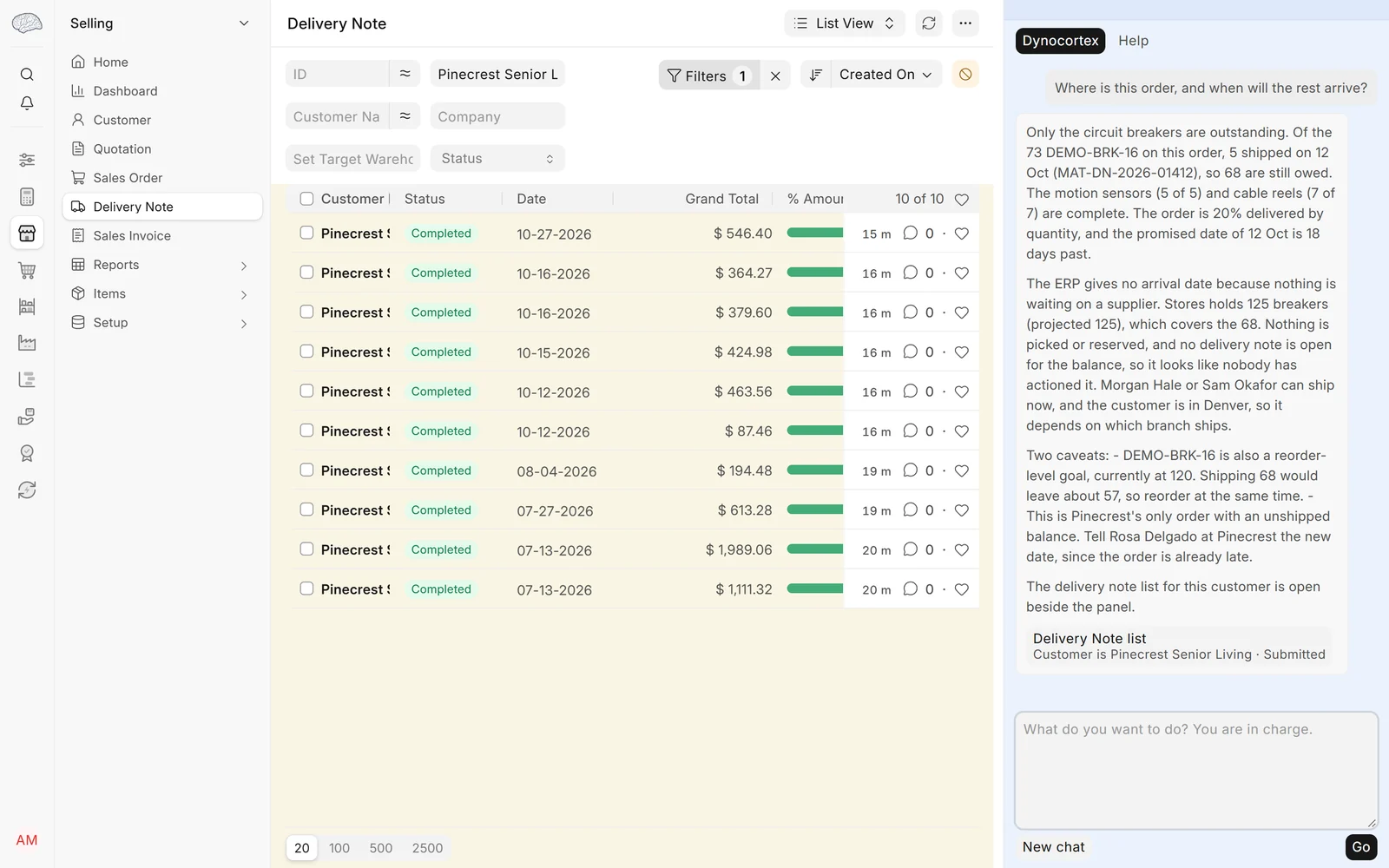
Open Selling → Sales Order, filter Customer for Pinecrest Senior Living, and open one of its orders that is partly delivered. In the Ask panel, ask
"Where is this order, and when will the rest arrive?"
Ask
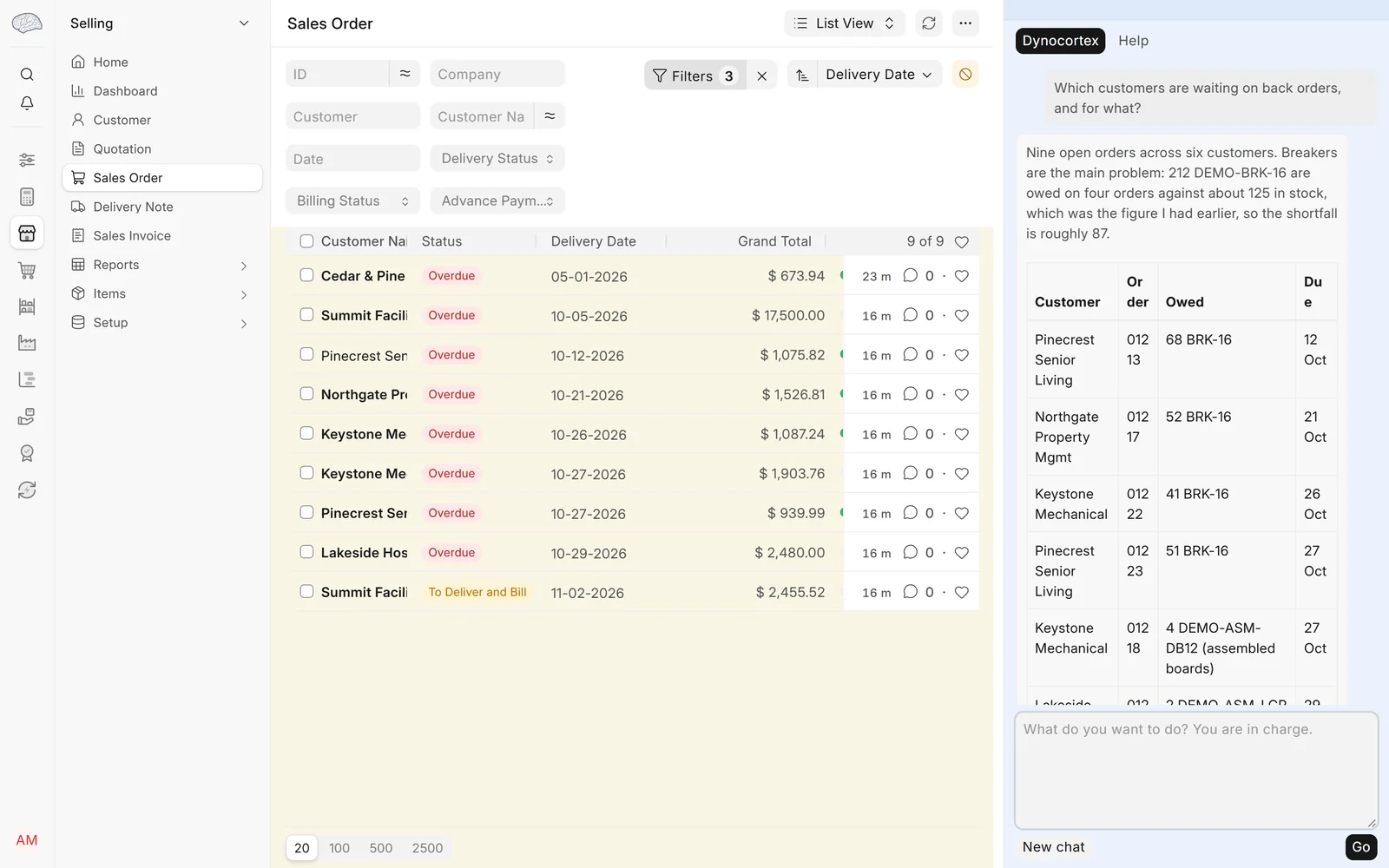
"Which customers are waiting on back orders, and for what?"
Ask
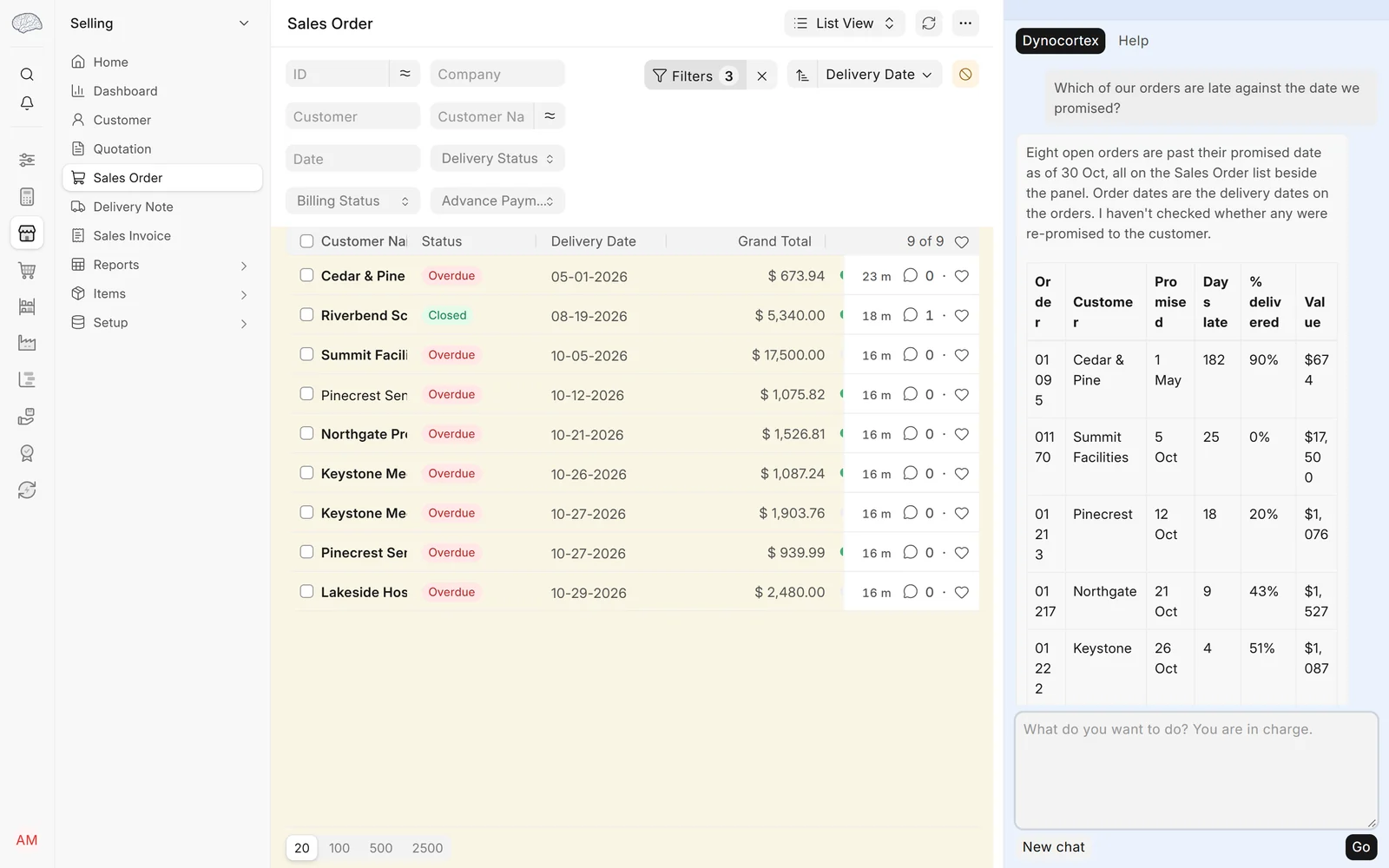
"Which of our orders are late against the date we promised?"
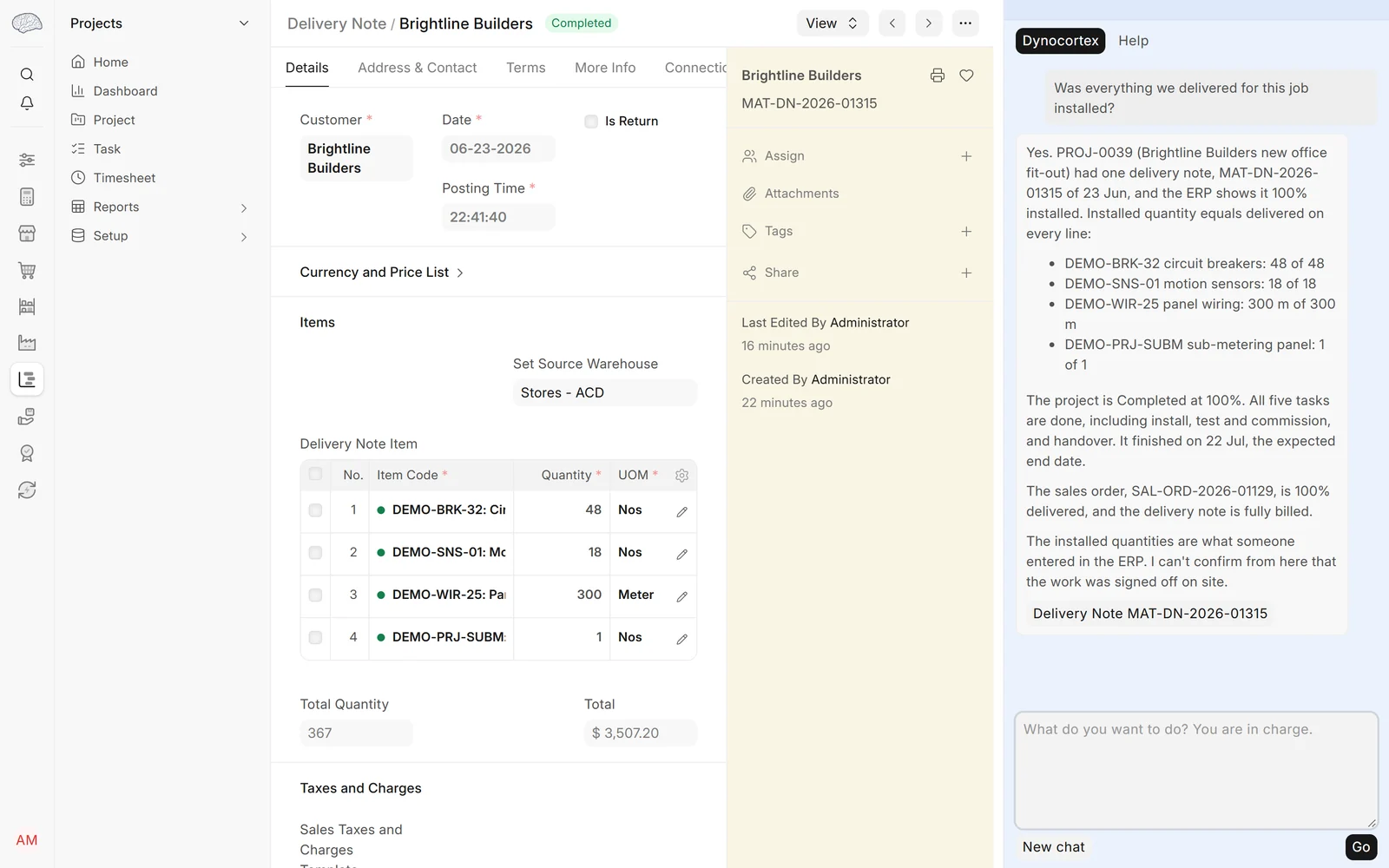
Open Brightline Builders' installation project (Projects → Project) and ask in the panel
"Was everything we delivered for this job installed?"


What a good answer contains
- What has been delivered on the order and what hasn't, and when the rest is expected: from stock now, or from a purchase order still to arrive.
- The customers waiting on back orders, and the items: Pinecrest, Northgate, Keystone and Cedar & Pine among them.
- The orders past the delivery date promised, from the Delayed Order Report.
- For Brightline, the deliveries for the job and their installation notes.
What the full product does beyond the demo
The Executive answers the customer's own agent directly, about that customer's orders only, and tells the sales desk when a promised date is about to be missed.
Answers are worded afresh each time, so yours will read differently. The demo company is made up, and its data goes back to the start every night.